


SMS-based two-factor authentication is not safe — here are alternative 2FA methods you should use
Previously, the use of two-factor authentication (2FA) was reserved only for tech-savvy people or computer gurus, but it has become very important for everyone learn how to setup and use. Currently, the use of 2FA is still largely limited to one-time passwords (OTPS) received through SMS. Sad to say, this is not the most reliable option and here are some reasons:
- Passwords sent via SMS can be seen if lock-screen notifications are enabled.
- Even with lock-screen notifications turned off, your SIM card can be removed and inserted in another phone, giving access to SMS messages.
- An OTP sent via SMS can be intercepted by a trojan installed inside the smartphone.
- Using various tactics (persuasion, bribery, identity theft, etc.), criminals can get hold of a new SIM card with the victim’s number from a SIM card shop. SMS messages will then go to this card, and the victim’s phone will be disconnected from the network.
- SMS messages can be read by strangers when the phone is lost
On the whole, SMS passwords are not very secure, and sometimes they are very insecure. So it makes sense to look for alternatives when it comes to 2FA.
There’s an app for that, too: Authenticator apps
one-time codes can be generated on the fly using a small and (usually) very simple authenticator app.
How authenticator apps work
It’s very easy to use 2FA apps. Here’s what you need to do:
- Install the authenticator app on your smartphone,
- Go to the security settings of the service that you want to use the app with,
- Select 2FA (assuming the option exists); the service will show you a QR code that can be scanned directly into the 2FA app,
- Scan the code with the app — it will start generating a new one-time code every 30 seconds.
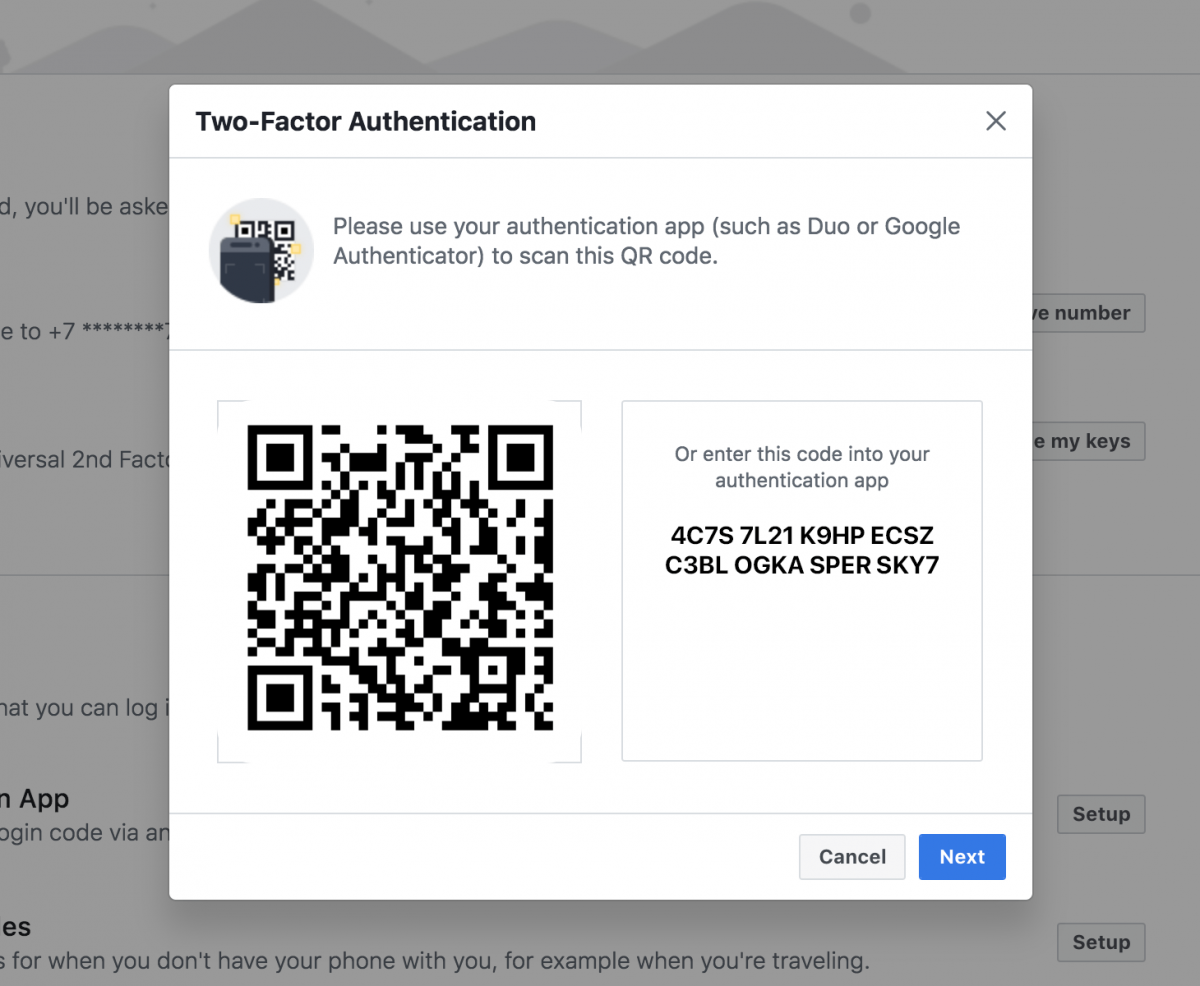
The codes are created on the basis of a key (known only to you and the server) and the current time, rounded to 30 seconds. Both components are the same for you and the service, so the codes are generated synchronously. This algorithm is called OATH TOTP (Time-based One-Time Password), and it is by far the most commonly used.
Best apps for two-factor authentication
There is a wide range of authenticator apps. When you search for “authenticator” in Google Play or the App Store, you’ll find a lot of options. It is not recommended to downlaod and install the first app you see; it may not be the most secure. Remember that you are about to entrust it with the keys to your accounts (it won’t know your passwords, of course, but you’re adding 2FA because passwords have a tendency to leak). In general, it is worth opting for an app made by a major and trustworthy developer.
Although the basic function of all of these apps is the same — creating one-time codes using one and the same algorithm, some authenticators have extra functions or interface features that might appeal.


Add new comment